Smart File Insight – Open, Preview & Summarize Special-Format Files
Smart File Insight helps open and read special text files that many social apps cannot preview directly, including Markdown, JSON, plist, XML, HTML, TXT, logs, CSV, YAML, INI, TOML, and .gitignore files. It keeps a local copy, formats the content for mobile reading, and lets AI organize the file into a clearer summary when needed.
1. Open from Your Tools
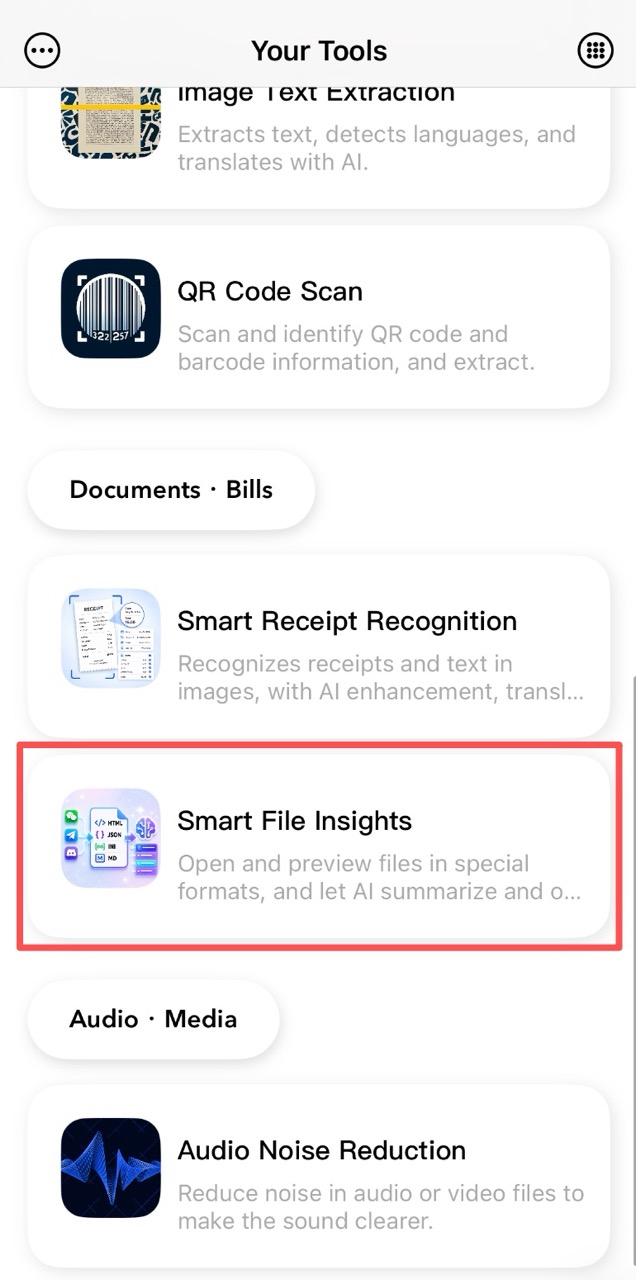
Enter Smart File Insight from the Your Tools home page. The file list shows imported items by time, supports favorites and file categories, and lets you open the Files app to import supported formats.
2. Open Files from Other Apps
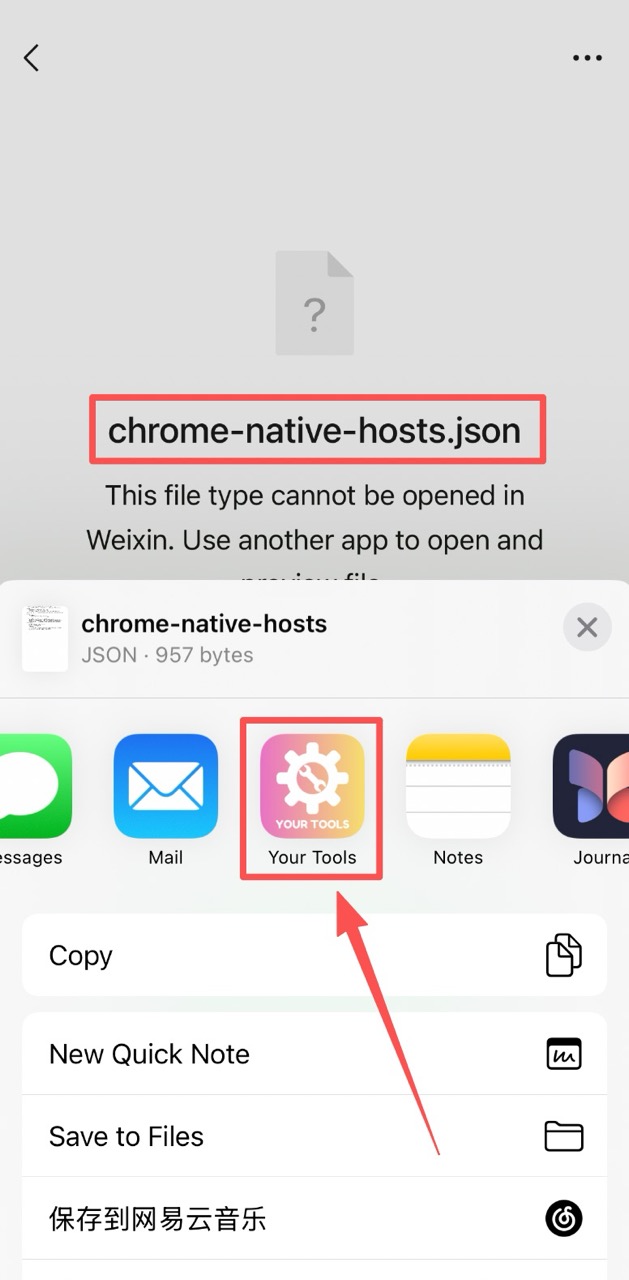
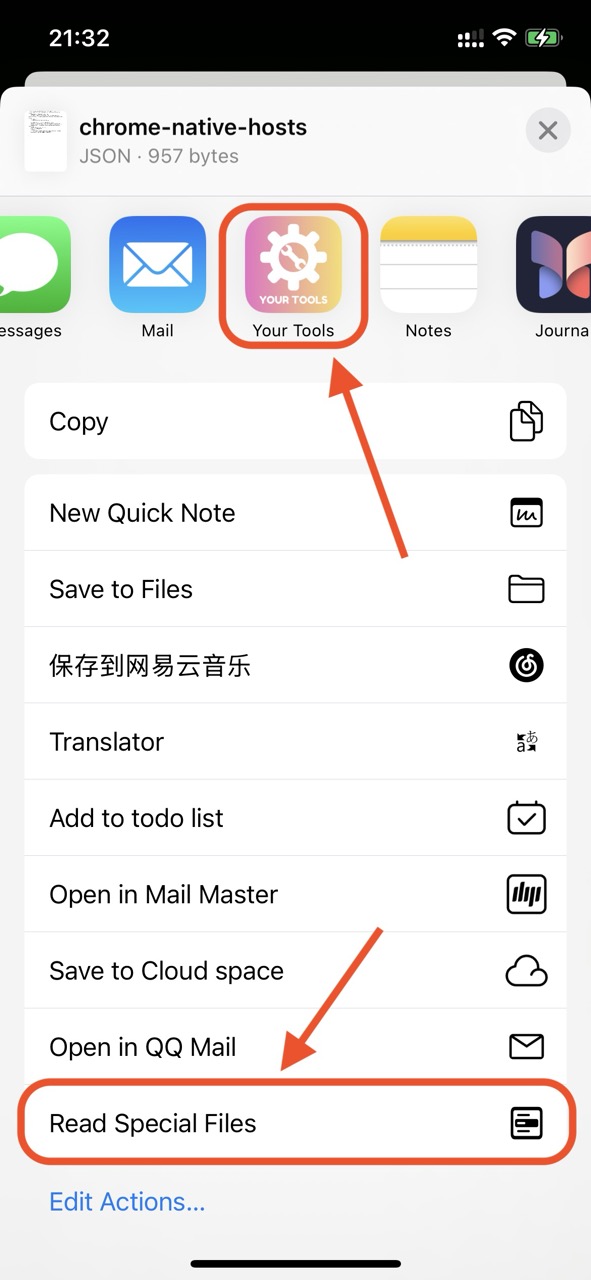
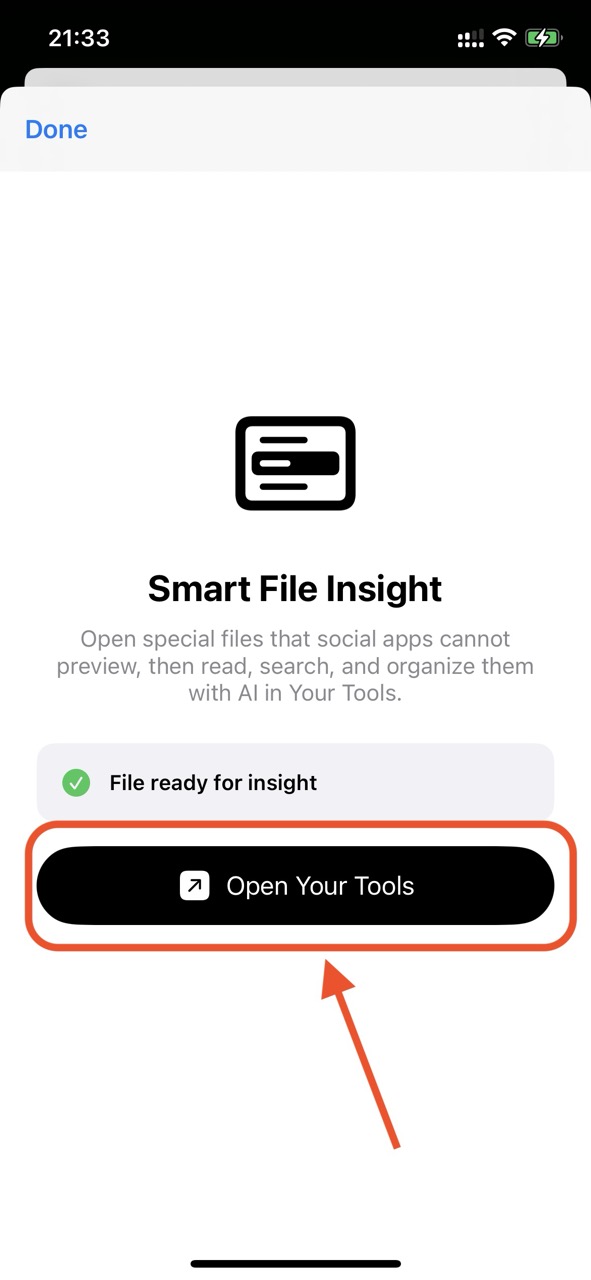
When a file from WhatsApp, TikTok, email, Files, or other apps cannot be previewed well, choose Your Tools from the system share or open-with panel. The app copies the file into its own storage and opens it for reading, so the original source does not need to stay available.
3. Preview, Source, and AI Organization
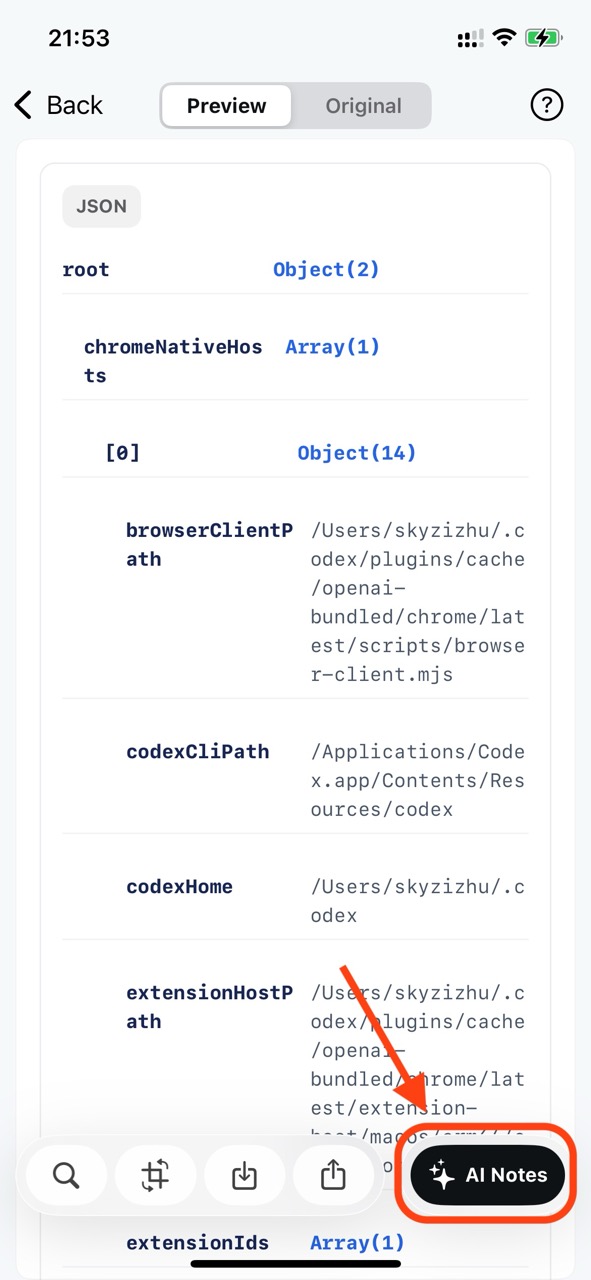
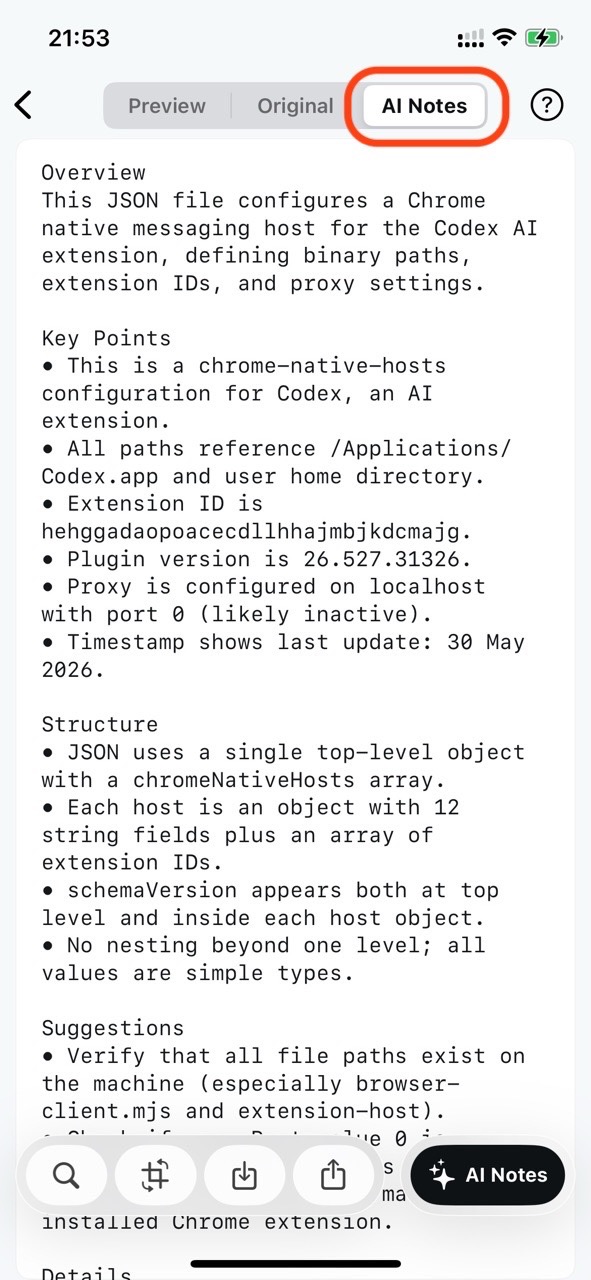
The detail page provides formatted preview and original source views. Markdown and HTML are rendered for easier reading, while JSON, plist, XML, CSV, YAML, INI, TOML, logs, and other text files are formatted according to their structure. AI Organization can summarize the file, explain important fields, extract key points, and point out possible issues.
4. Export as PDF
You can export the preview content, original source content, or AI organized content as a PDF. If the file has not been organized by AI yet, the AI export option stays disabled until the result is available.
5. Create Long Images
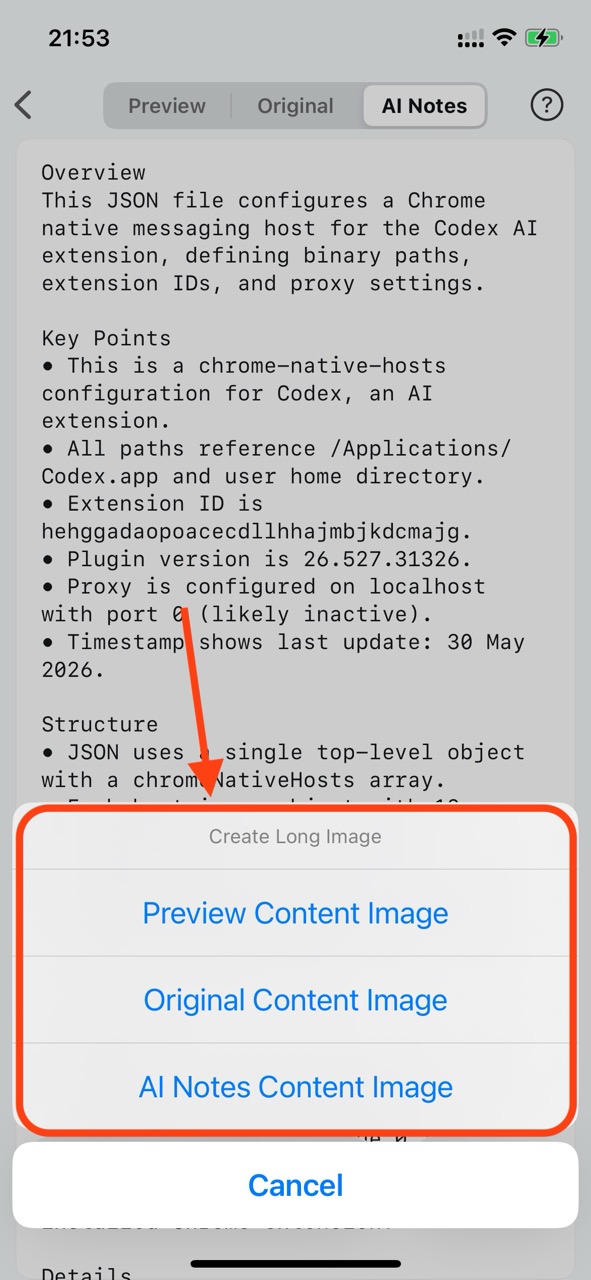
For sharing in chats or social media, Smart File Insight can turn preview content, source content, or AI organized content into a long image. The generated image can be saved to Photos, saved to Files, or shared with other apps.
6. Share Content
Share the formatted preview, original source, or AI organized text directly. This makes it easy to send readable file content without forwarding the original special-format file.
Frequently Asked Questions
What file formats are supported?
Markdown, JSON, plist, XML, HTML, TXT, logs, CSV, YAML, INI, TOML, and .gitignore files are supported, with formatting optimized for each type.
Does AI organization work offline?
AI Organization requires a network connection to process content. Once generated, the organized result is saved locally and available offline.
Can I export files as PDF?
Yes. Preview content, original source, and AI-organized content can all be exported as PDF directly from the detail page.