Audio & Video Noise Reduction – Remove Background Noise on iPhone
You can denoise audio or video audio to make it clearer. Whether it is a voice memo, a field recording, or a video shot in a noisy environment, this tool cleans up the sound so speech stands out.
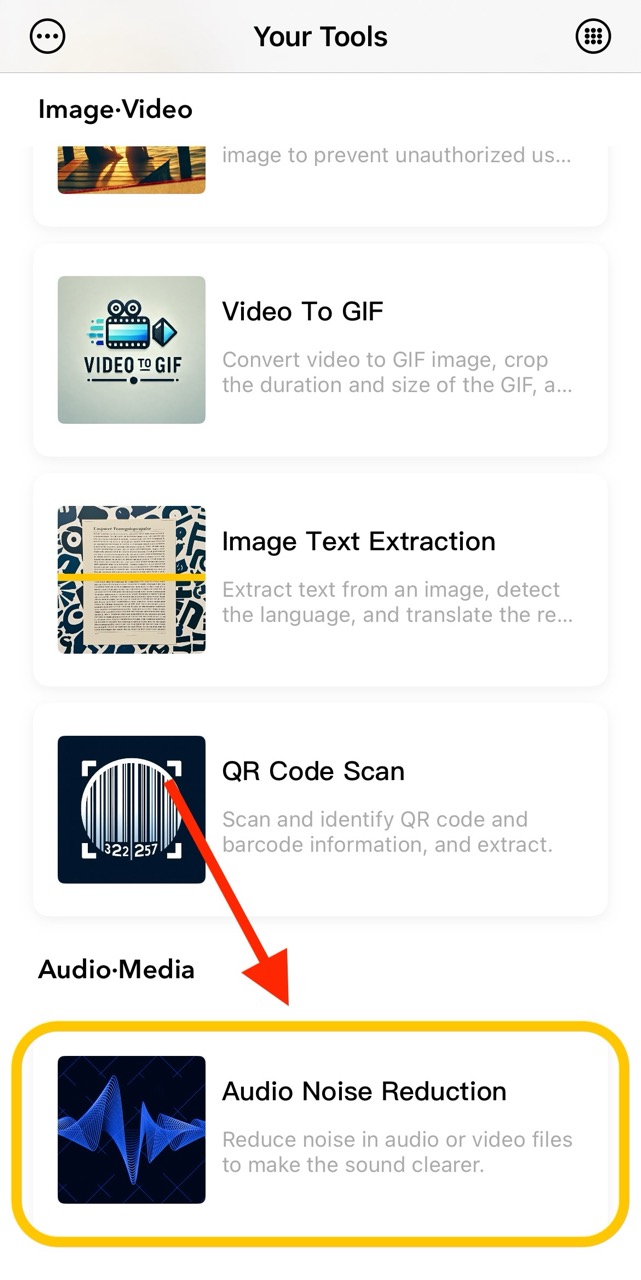
1. Select the Audio Noise Reduction Feature
The Audio Noise Reduction feature is located on the homepage function list page. You can enter it by clicking on the homepage function list to access this feature.
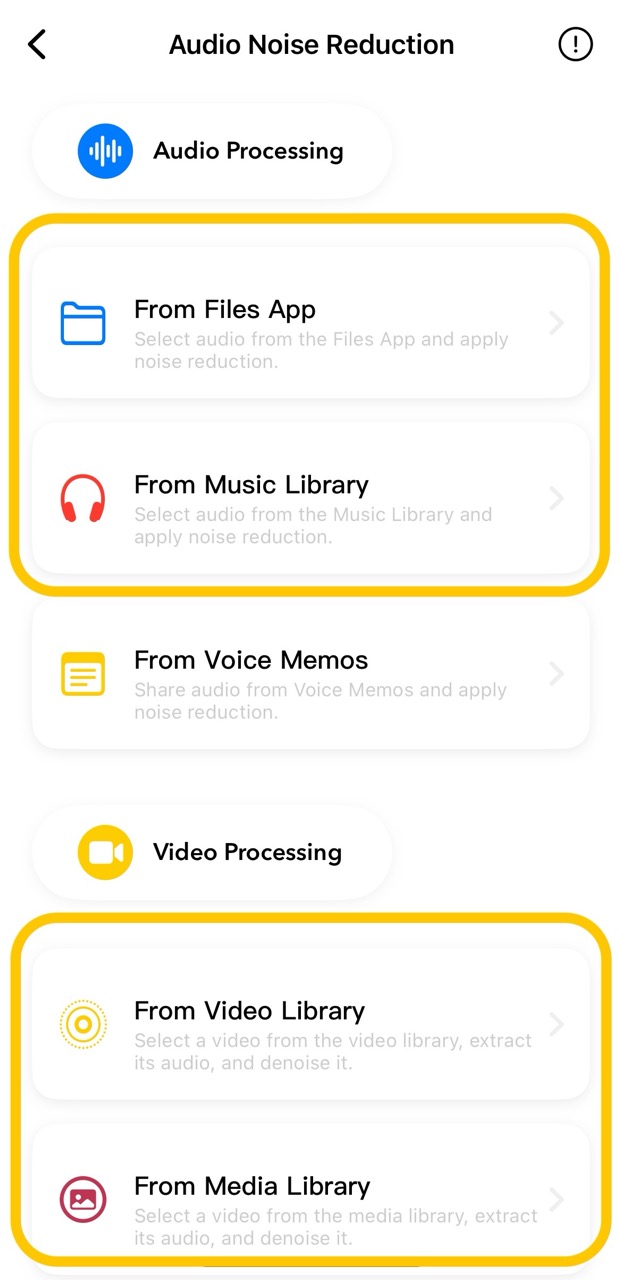
2. Choose an Audio or Video
You can denoise audio from selected media through the Files app, media library, or video library.
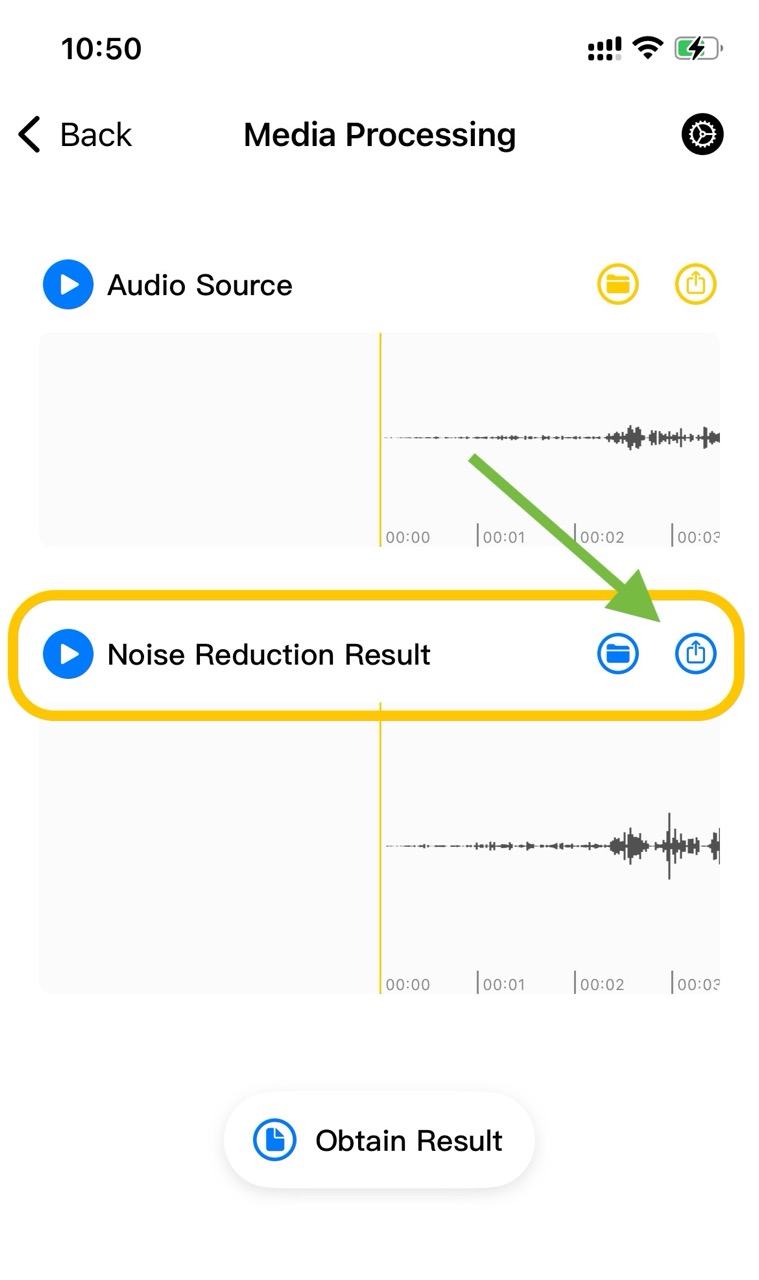
3. Denoising Result
After denoising the selected media, a new denoised file will be generated. You can save and share the result.
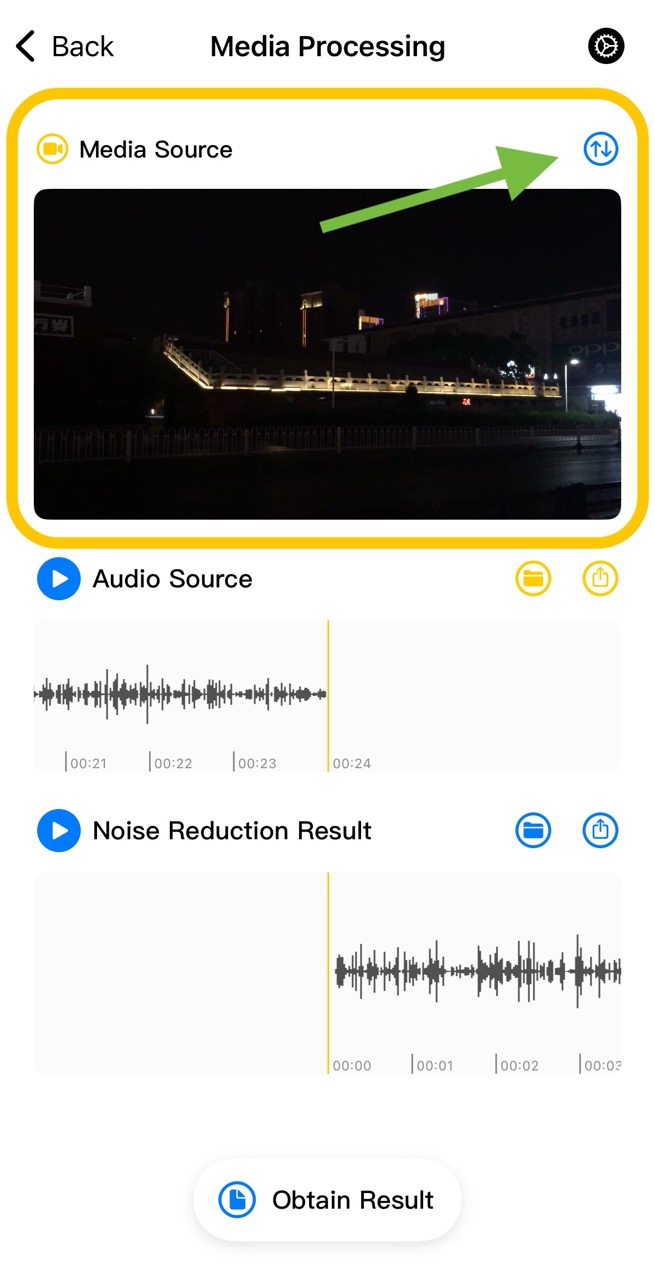
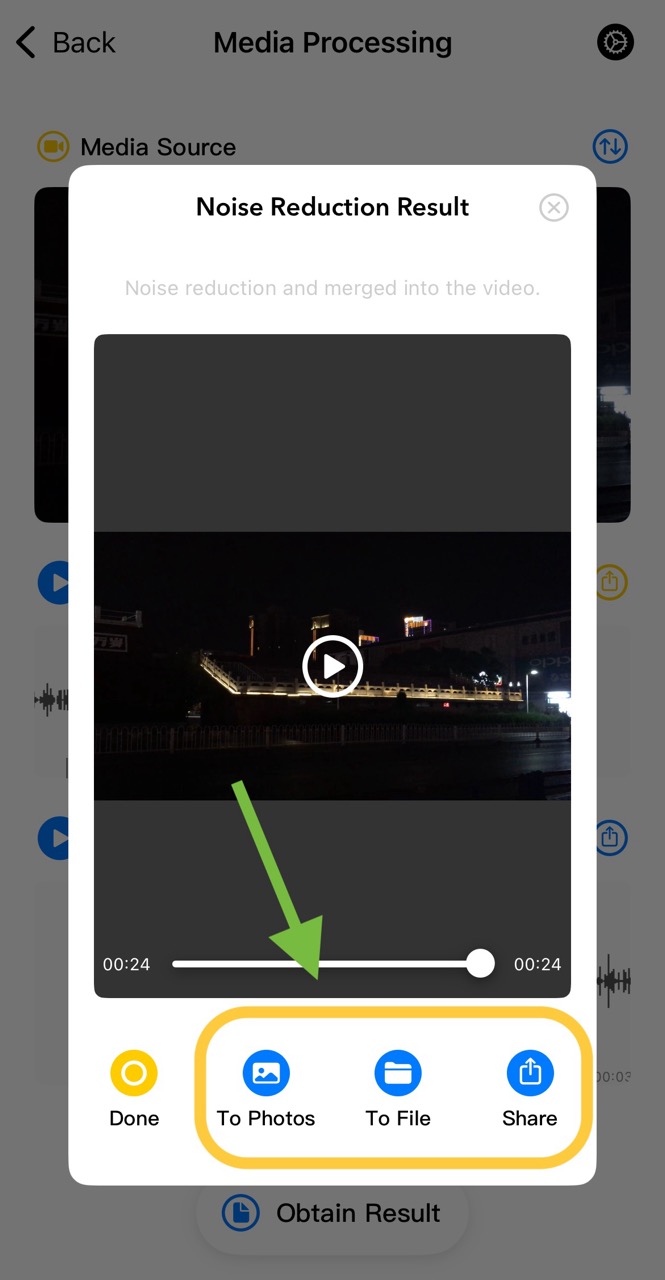
4. Video Denoising Result
If the selected media is a video, the audio and video need to be merged on the result page. Click the merge button to start merging automatically. Once completed, you can save and share the result.
5. Import from Third-Party Apps
Audio files requiring noise reduction can also be imported from third-party apps into Your Tools for processing. Click here: Audio Import Guide for details.